

wylerSOFT 3
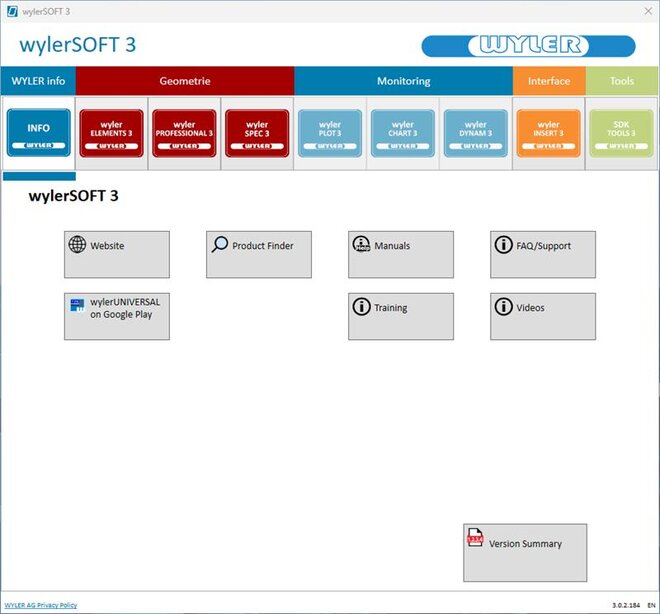
Version: 3.0.5.221
SHA256: 9b9d7f3f28e531c2eb7695cdd209dda74038b098888b7ec2dc0370c303818e46
Verify Download
- Open Command Prompt (cmd).
- Run the following command, replacing the path with your downloaded installer file:
Do not include the<and>symbols.
> certutil -hashfile <path to downloaded wylerSOFT3 installer file> SHA256 - You will see output similar to this:
> SHA256 hash of <path to downloaded wylerSOFT3 installer file>:
> CertUtil: -hashfile command completed successfully.
> 9b9d7f3f28e531c2eb7695cdd209dda74038b098888b7ec2dc0370c303818e46 - Compare the generated hash with the official hash provided below.
Important: The hashes must match exactly. If they do not, the file may be corrupted or tampered with.
Please contact your system administrator for help.
Please note:
In general, all connections such as wylerSOFT InfoCenter 2.x.x.x remain valid, with the following exceptions:
- Configurations no longer supported:
- Green Dinkey Pro -> Switch to wylerCONNECT (license transfer via wylerLICENSE 3)
- All LevelMETER types
- All BlueMETER types
- wylerCONNECT MINI
- For all users who are not yet working with wylerCONNECT, please check the following points on the measuring devices:
- BlueLEVEL 2D and BlueCLINO (HP) must be at least 6.0.0.0
- Update using wylerEXPLORER 3
- BlueLEVEL firmware must be at least 6.0.0.0:
- Update possible with wylerEXPLORER 3 version 5.0.30.0 or later
- For updates to older versions, these must be sent to WYLER AG
- BlueLEVEL Basic firmware must be at least 6.0.0.0:
- The update must be performed by WYLER AG
- BlueLEVEL 2D and BlueCLINO (HP) must be at least 6.0.0.0
- Earlier versions can only be downloaded from the website until mid-2026.
- What happens to the wylerSPEC database:
- The database will be copied and migrated. No measurements will be lost.
- The wylerSPEC 2.x.x.x database will remain intact. However, no measurements from the wylerSPEC 3.x.x.x version will be added.
- Measurements taken with wylerSPEC 2.x.x.x will not be added to the wylerSPEC 3 database.
- wylerSPEC 3 can be uninstalled by uninstalling wylerSOFT 3 and the version 3 applications.
Measurements from wylerSPEC 3 will be lost in the process.
License Management
License management is also newly integrated into the wylerSOFT 3.
The wylerSOFT 3 contains wylerLICENSE about current software products and the option to update them or to submit orders for new software licenses.
License management via wylerCONNECT
Our software products can be demonstrated. For this purpose, please contact the representative responsible for you.
You will find the contact details via the following link:
Geometry measurement software
wylerELEMENTS

The software wylerSPEC is the ideal tool for measuring tasks related to the geometry of objects and machine tools such as straightness of guideways, flatness of surfaces including, both granite tables as well as machine tables and parallelism of guideways.
The license for wylerELEMENTS grants you access to the wylerSPEC modules 1 and 4.
wylerPROFESSIONAL

The software wylerSPEC is the ideal tool for measuring tasks related to the geometry of objects and machine tools such as straightness of guideways, flatness of surfaces including, both granite tables as well as machine tables, parallelism of guideways, or squareness on vertical machine parts.
The license for wylerPROFESSIONAL grants you access to the wylerSPEC modules 1 to 4 and 8. Measurements with laser interferometer or autocollimator are supported in some modules.
wylerSPEC
The software wylerSPEC is the ideal tool for measuring tasks related to the geometry of objects and machine tools such as straightness of guideways, flatness of surfaces including, both granite tables as well as machine tables, parallelism of guideways, or squareness of vertical machine elements compared to horizontal parts.
The license wylerSPEC includes all existing moduls. It completes the functionality with customer specific measurements.
Software tools
wylerINSERT

wylerINSERT is an easy to use yet powerful tool to read inclination values from WYLER devices and insert them into any program at the current position of the cursor just as if the values were typed in.
Software development kit
For customers intending to develop their own analyzing software for WYLER devices. WYLER AG provides several software examples, which explain how to interact with WYLER devices.